What syncs
What the Zoho CRM integration does
- Leads and contacts
- Notes with chat summaries
- Lead source attribution
How teams use it
In practice
- AI agents qualify a lead, then create or update the CRM record
- Conversation summaries are logged against the contact
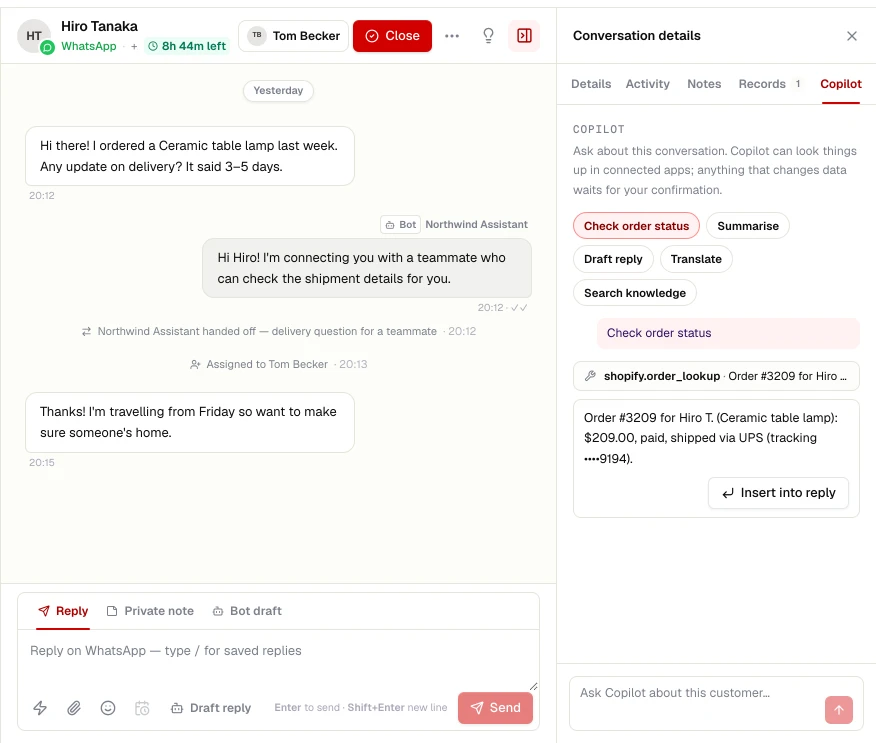
- The copilot shows the CRM record next to the chat
- Owner assignment keeps the right salesperson in the loop
Set up
Connect Zoho CRM
- STEP 01
Open Integrations
In your workspace, go to Settings → Integrations and choose Zoho CRM.
- STEP 02
Sign in
Authorise ChatRhino with your Zoho CRM account and enter your data centre.
- STEP 03
Choose what syncs
Pick the objects and events to sync, then test the connection.
Related
More CRM integrations
HubSpot
Create contacts and deals from qualified chats, and log every conversation to the timeline.
Learn moreSalesforce
Push leads and cases into Salesforce with field mapping and owner routing.
Learn moreLeadSquared
Capture leads and post activities to LeadSquared, the CRM many sales-led teams run on.
Learn moreShopify
Let the agent look up orders, track shipments and recover abandoned carts.
Learn more