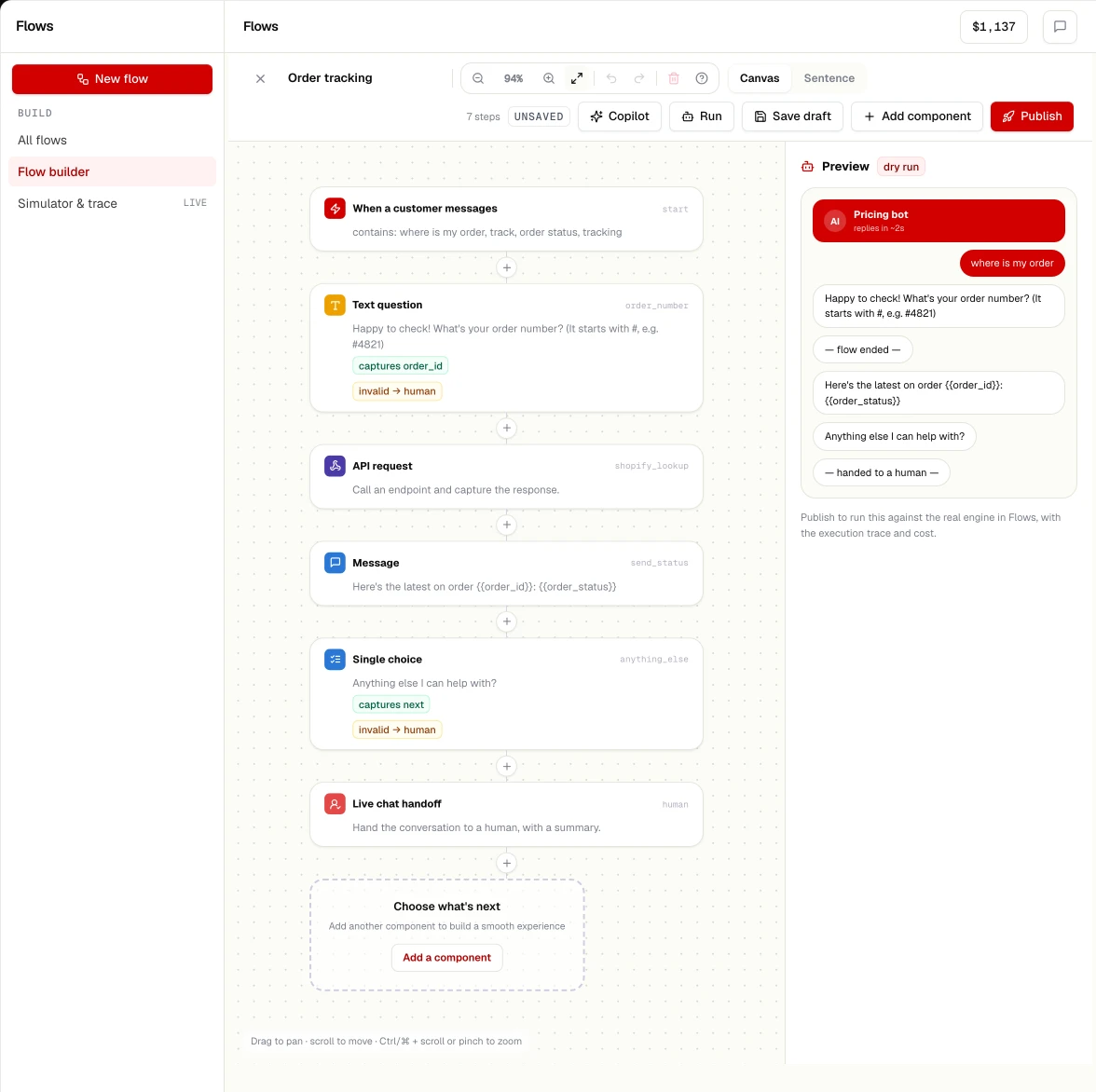
How it works
From sentence to running flow
Describe
Write what should happen in your own words, or start from a template.
Review the draft
The generated flow is validated against the node catalogue before you see it.
Edit visually
Drag, connect, configure. Undo and redo. Every node is editable.
Publish a version
In-flight conversations keep their version, so a publish never strands a customer.
Building blocks
What a flow can do
Ask and wait
Ask a question and wait for a reply, a button, a list choice or a timeout.
Branch
Conditions on answers, contact fields, time of day or lookup results.
Act
Look up an order, send a payment link, add a CRM lead, append a sheet row, call a webhook.
Delegate to AI
Let an AI agent handle a step under limits, with a deterministic fallback.
Hand over
Route to a team with the details collected so far.
Respect the window
On WhatsApp, free-form replies inside the service window; templates outside it.