Contacts
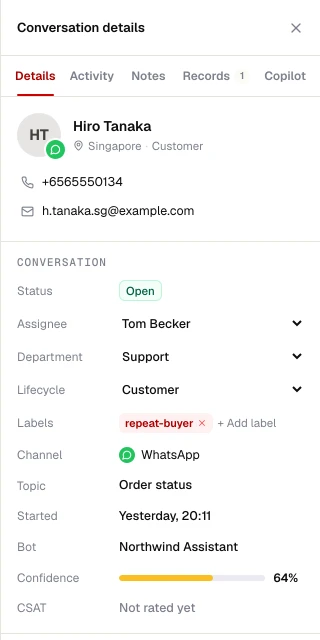
A record that follows the customer
Many identities, one person
Phone, email and channel IDs link to one contact, so history is never split.
Custom fields
Industry presets (for example course of interest, property budget) plus your own fields.
CSV import
Map columns, de-duplicate on phone or email, and import consent where you have it.
Consent record
Opt-in time and source, opt-out time and reason. Opt-out always wins.
Personal data handling
Phone numbers and emails are protected in exports and logs; suppression lists use keyed hashes.
Retention
Workspaces can choose how long conversations and contacts are kept.
Segments
Segments that stay current
Segments are saved filters, not frozen lists. When a contact changes, their membership changes too.
- Filter on custom fields, tags, channel and consent status
- Combine conditions with AND / OR groups
- Preview the count before you send
- Use a segment for a campaign, an export or a flow trigger