Work together
Built for teams, not one phone
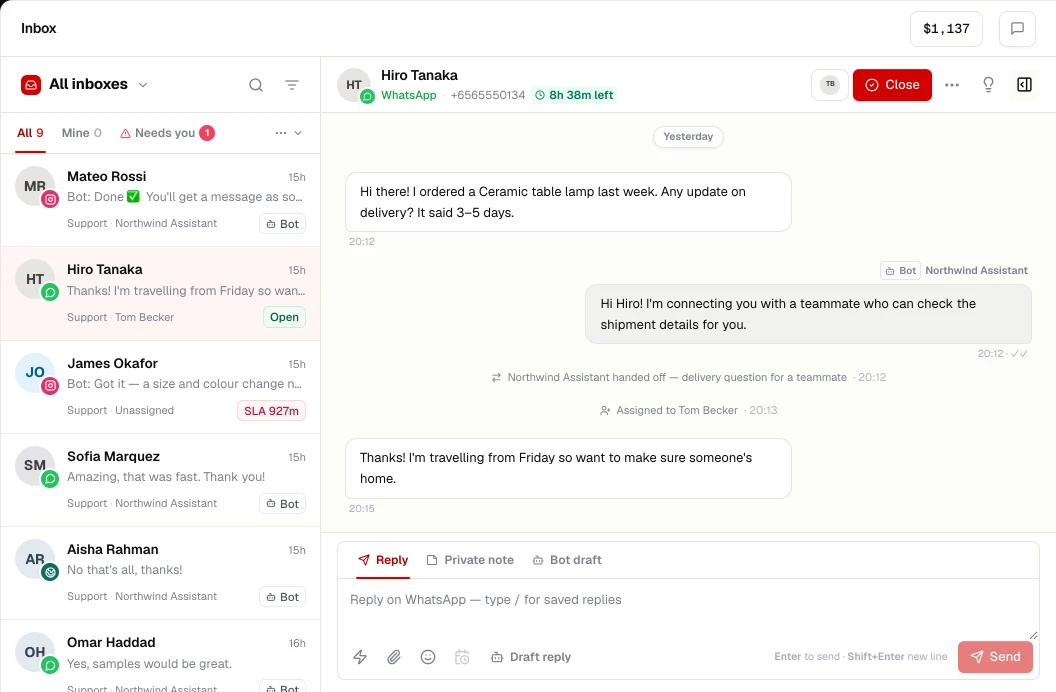
Several people can work the same WhatsApp number at once. Conversations are owned, not fought over.
- Assign to a person or a team; reassign with a note
- Private internal notes and @mentions that customers never see
- Canned responses with variables, searchable with a shortcut
Route
The right conversation to the right person
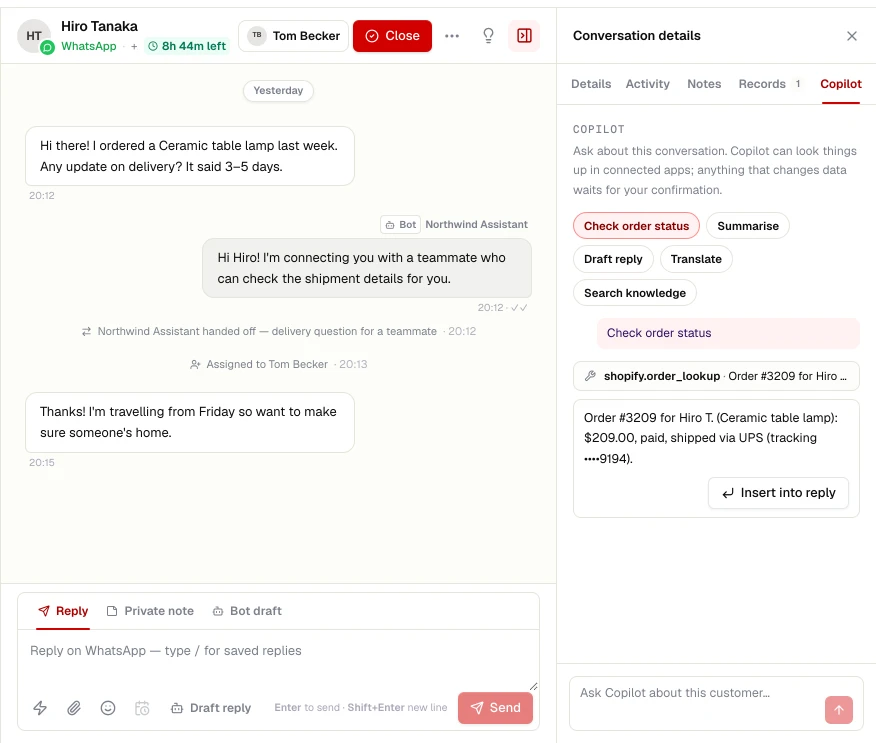
Routing uses the same shift and presence data as your workforce schedule. A conversation only goes to someone who is online, on shift, not on leave and under their chat limit.
- Round-robin within a team
- Maximum concurrent chats per agent
- Business hours with away messages
- Escalation rules and SLA timers
Context
Shared history across channels
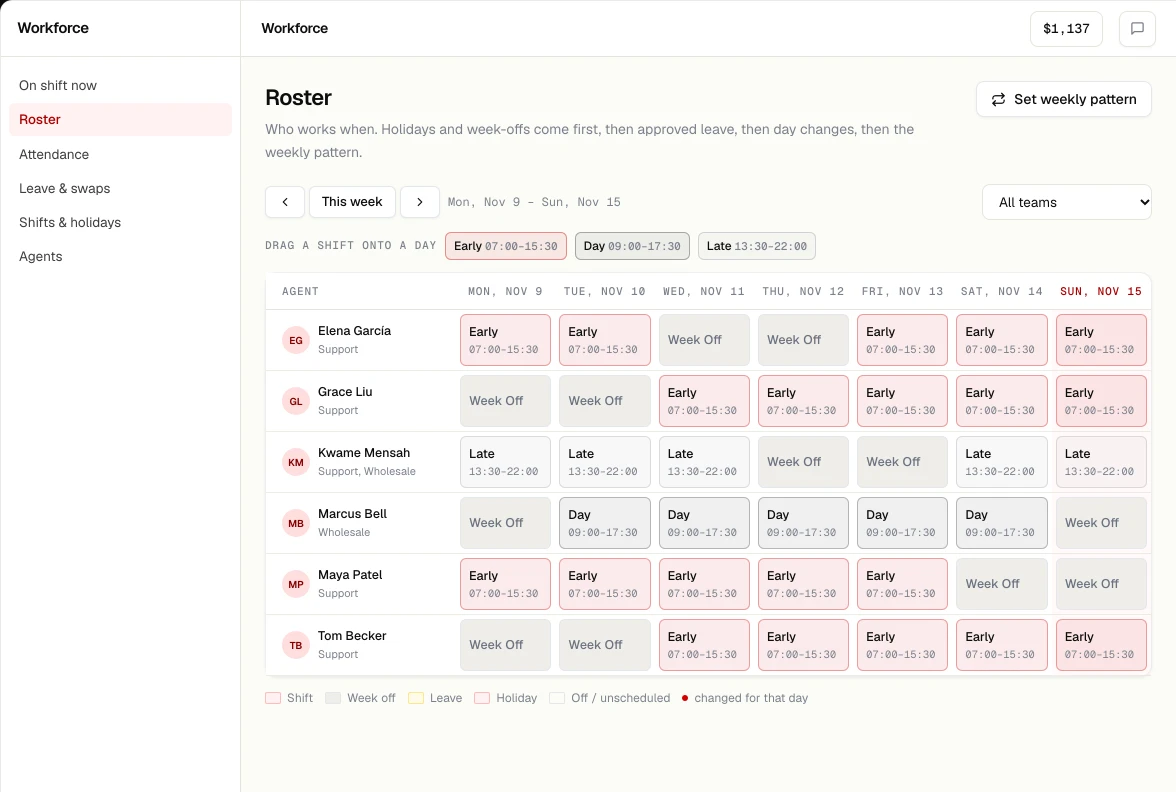
A customer who messages on WhatsApp, then writes an email, then opens your website chat is one contact. Their conversations, orders and notes are in one place.
- Contact panel with custom fields and tags
- Conversation summaries written by AI
- Copilot lookups from your commerce and CRM tools
The details
Everything you expect from a serious inbox
Views
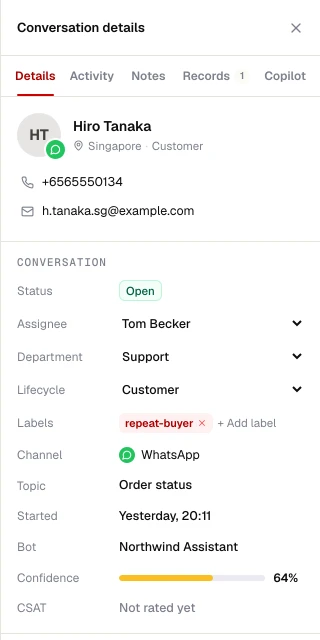
Mine, unassigned, team, all, snoozed and closed, filtered by channel, tag or status.
Statuses
Open, pending and closed, with auto-close after inactivity that you configure.
Blocked contacts
Block spam senders across channels in one place.
Rich messages
Images, documents, voice notes, buttons and lists where the channel supports them.
Summaries
AI summaries on close or handoff, optionally posted to your CRM or Slack.
Audit trail
Assignments and changes are recorded in the workspace audit log.