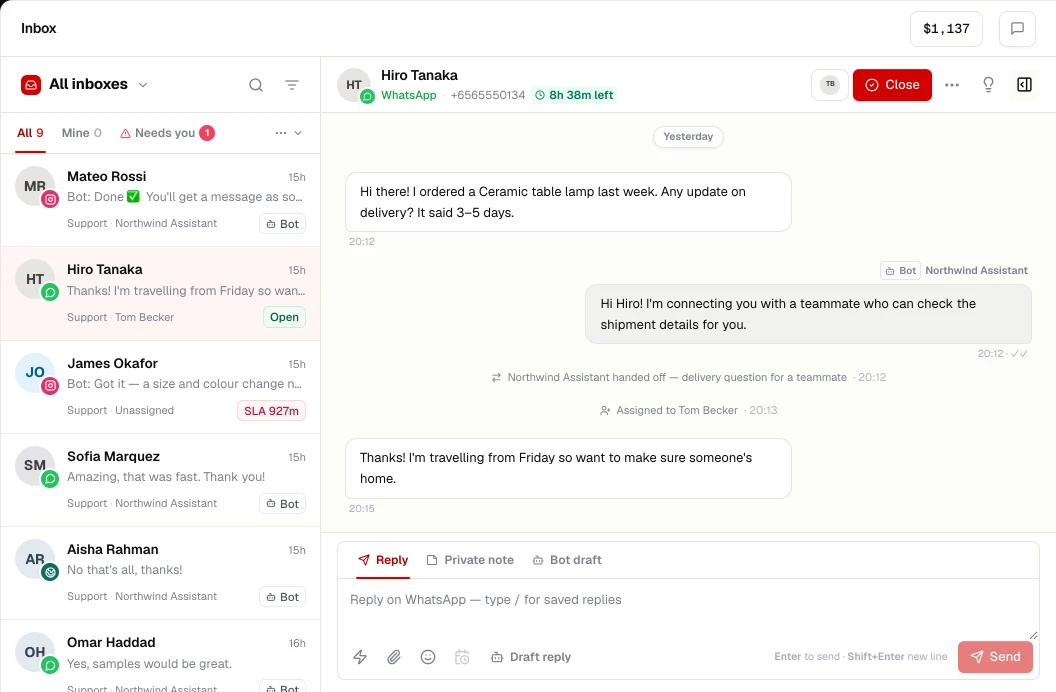
What you get
Messenger in ChatRhino
- Page messages in the shared inbox
- AI agents and flows
- Handoff with conversation summary
- One contact across Messenger, Instagram and WhatsApp
Meta's standard messaging window is 24 hours from the user's last message; message tags allow limited follow-ups. As of November 2026 Messenger Platform policy.
Set up
Connect Messenger in 3 steps
- STEP 01
Admin access
You need admin access to the Facebook Page.
- STEP 02
Connect in ChatRhino
Channels → Messenger, sign in with Meta and pick the Page.
- STEP 03
Deploy
Choose an agent, a flow or a team for incoming messages.
More channels
Works alongside
Connect your number to the WhatsApp Business Platform and run a shared team inbox, AI agents, flows, templates and opt-in campaigns from ChatRhino.
Learn moreAnswer Instagram Direct Messages from a shared inbox with your other channels, and let AI agents handle routine questions with human handoff.
Learn moreWebsite chat
Add a branded chat widget to any website — HTML, WordPress, Shopify, Webflow, React, Next.js and more — with an AI agent that hands over to your team.
Learn moreBring your support email into the same inbox as WhatsApp and chat — by forwarding, SMTP, Gmail or Outlook — with one contact history per customer.
Learn more